Accessing Forums
Follow The Steps Below To Access The Forums:
- Via Homepage: You'll See Two Boxes Upon Landing On Homepage, Click The Explore Forums Button Prominently Displayed On The Homepage To Go To The Forums.
- Direct Link: Alternatively, Click Here To Navigate Directly To The Forums.
Account Authentication
For Existing Member:
If You Are An Existing Member And Already Have An Account, Follow The Steps Below To Login:
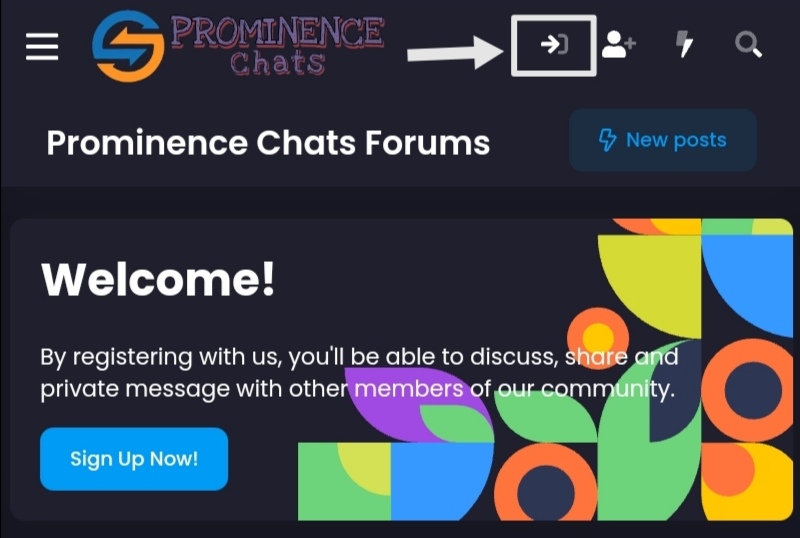
- Click On The Login Button After Landing On Forums.
- Enter Your Login Credentials (Email/Username And Password).
- Check Stay Logged In (Optional).
- Click On Login To Proceed.
For New Users:
If You Are a New Member And Are Visiting The Forums For First Time, You'll See a Welcome Pop Up:
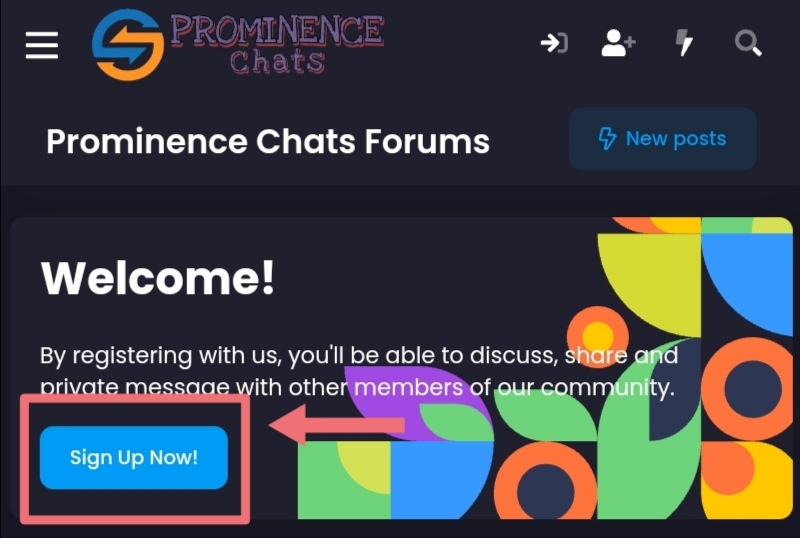
Click On Sign Up Now! And Complete The Registration Form With:
- Username:
- Choose a Unique, Recognizable Username.
- Example:
Elon Musk, Jeff Bezos
- Email Address:
- Provide a Valid Email For Account Verification And Recovery.
- Example:
[email protected]
- Password: Create a Strong Password With
- Minimum 8 characters.
- At least 1 Uppercase Letter, 1 Number, And 1 Symbol. (
!, @, #)
- Date Of Birth: Enter Your Date Of Birth.
- Note: You Must Be At Least 13 Years Old To Register And Use Our Site.
- Verification: Check And Complete The CAPTCHA Verification.
- Legal: Read Our Terms And Privacy Policy. Once You Read And Understood, You May:
- Check The I agree to these terms and privacy policy.
- Register: Click On The Register Button After You Completed The Registration Form.
Why This Information Is Required
| Field |
Purpose |
| Username |
Your Unique Identity In Chat Rooms And Community Interactions. |
| Email |
Account Verification, Password Recovery, And Important Notifications. |
| Password |
Secures Your Account And Protects Your Personal Information. |
| Date Of Birth |
Ensures Compliance With Age-Restricted Content Regulations. |
ⓘ By Creating An Account, You Acknowledge And Agree To Abide By Our Terms And Privacy Policy
Other Features
Click Here For The Rest Of The Guide Of Other Parts Of The Forums.
Troubleshooting & Support
- Login Issues: Use The Forgot Password? On The Login Page To Reset Credentials Via Email.
- Technical Errors: Clear Your Browser Cache Or Try Accessing The Platform Via a Different Device/Browser.
For Unresolved Issues, Contact An Administrator Or Contact Us.
Best Practices
- Respect Community Guidelines: Avoid Spam, Offensive Language, Or Unauthorized Promotions.
- Use Secure Password: Use Strong, Unique Passwords And Update Them Periodically.
- Report Concerns: Flag Inappropriate Content Or Users Using The Report Feature.
By Following This Guide, You Can Seamlessly Navigate Through The Forums, Connect With Communities, And Personalize Your Experience.